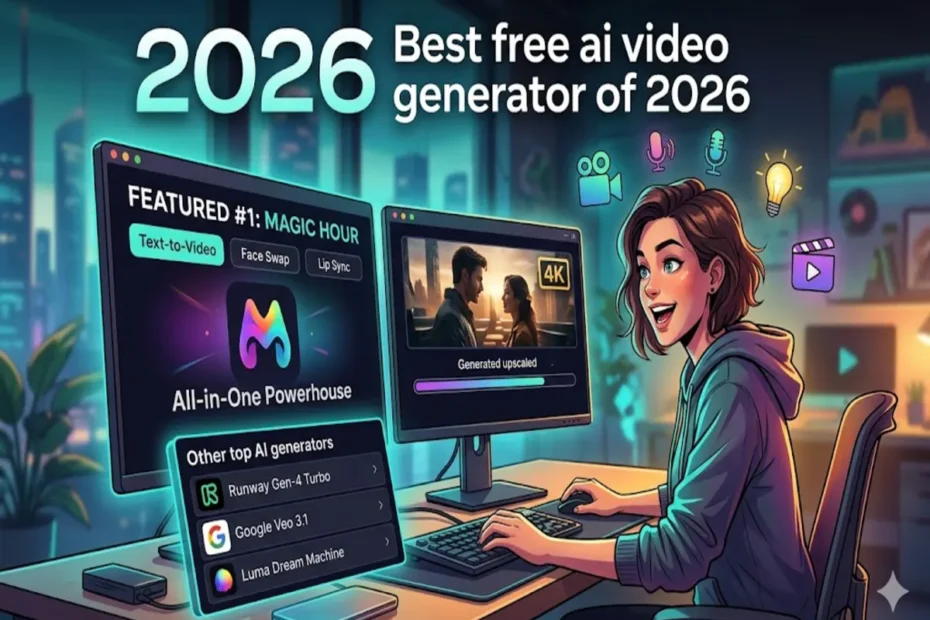
In the fast-paced world of digital content creation, 2026 has officially become the year of the “AI-first” video. Whether you are a YouTuber trying to scale your channel, a small business owner creating social ads, or a creative hobbyist exploring new mediums, the barrier to entry has never been lower.
Professional video production used to require expensive cameras, a studio space, and weeks of editing. Today, a free AI video generator can turn a simple text prompt or a single photo into a high-definition cinematic masterpiece in under sixty seconds.
But with dozens of platforms emerging every month, which ones actually deliver on their promises? We have tested the latest tools and ranked the best free AI video generators of 2026 based on quality, ease of use, and feature variety.
1. Magic Hour: The All-in-One Powerhouse
Taking the top spot for 2026 is Magic Hour. While many tools specialize in just one area, like avatars or text-to-video, Magic Hour is a comprehensive video creation suite that brings the world’s best frontier AI models into a single, unified dashboard.
Why It’s #1
Magic Hour isn’t just a video generator; it’s a full-stack workflow solution. It stands out by offering one-click multi-step workflows. For instance, you can generate a video from a prompt, automatically upscale it to 4K, and then apply a lip-sync—all without leaving the interface.
Key Differentiators
- Best-in-Class Specialized Tools: Magic Hour offers industry-leading performance in Face Swap, Lip Sync, and Talking Photos, producing results that are virtually indistinguishable from real footage.
- Frontier Model Access: Users get access to a massive library of top-tier models (including the latest iterations of Kling, LTX-2, and more) all in one place.
- No Commitment Required: You don’t even need to sign up to try the tools, and the credits you purchase never expire, which is a rarity in the current subscription-heavy market.
- High Performance at Scale: Optimized for both desktop and mobile, the platform handles massive traffic spikes and live activations with ease, offering parallel generations so you aren’t stuck in a “concurrency cap” queue.
- Weekly Feature Releases: The platform evolves rapidly, often releasing new features or model integrations every seven days.
Pricing Structure
Magic Hour offers an unusually generous free tier, making it the most accessible free ai video generator for beginners.
- Free Plan: Includes basic credits to test all features with a maximum resolution of 576px.
- Creator Plan: $15/month (or $10/month billed annually). This unlocks 1024px resolution and 10,000 credits.
- Pro Plan: $45/month. Designed for power users, offering 30,000 credits and 1472px resolution.
- Business Plan: $99/month. Provides 70,000 credits and full 4K resolution support.
2. Google Veo 3.1
Google’s entry into the generative video space remains a top contender in 2026. Veo is deeply integrated into the Google Creative Lab ecosystem, making it a favorite for those who already use Google Photos or Drive.
The Breakdown:
Veo excels at cinematic consistency. If you need a video where the lighting and character physics remain perfect across several shots, Veo’s prompt adherence is hard to beat. It also offers a decent free credit allotment for Google One subscribers.
Pros:
- Incredible photorealism.
- Longer video durations (up to 60 seconds).
- Safe-for-work filters that make it corporate-friendly.
Cons:
- Can feel “sanitized” or overly restricted by safety filters.
- Lacks the advanced face-swapping capabilities found in Magic Hour.
3. Runway Gen-4 Turbo
Runway has long been the darling of the VFX industry. In 2026, their Gen-4 Turbo model focuses on precise motion control. Their “Motion Brush” tool allows you to paint over a specific area of a still image and tell the AI exactly how that specific part should move.
The Breakdown:
Runway is built for professionals who need “director-level” control. While the learning curve is steeper than that of other tools, the ability to control camera pans, tilts, and specific object motion is unmatched.
Pros:
- Advanced “Act-Two” feature for character consistency.
- Professional-grade editing timeline.
- Excellent community plugin support.
Cons:
- The free version is quite limited.
- The interface can be overwhelming for casual creators.
4. Luma Dream Machine
Luma AI made waves by being one of the first to offer high-quality video for everyone, and in 2026, Dream Machine remains a top-tier choice for creative brainstorming.
The Breakdown:
Dream Machine is known for its “vibe.” It produces highly stylized, artistic, and often surreal video clips. If you are looking for an AI video generator to create dream-like sequences or abstract backgrounds for music videos, Luma is your best bet.
Pros:
- Very fast generation times.
- Excellent at handling complex physics (like flowing water or smoke).
- User-friendly mobile app.
Cons:
- Often adds a “dreamy” blur that might not suit realistic projects.
- Higher tiers are relatively expensive compared to the credit count.
5. HeyGen (Best for Avatars)
If your primary goal is to create “talking head” videos for training, sales, or education, HeyGen is the specialist you need. By 2026, their avatars will have reached a level of realism where it is difficult to tell them apart from a recorded human.
The Breakdown:
HeyGen allows you to upload a script and choose a digital twin to “perform” it. Their translation feature is particularly impressive; it doesn’t just translate the audio; it actually re-syncs the avatar’s lips to match the phonemes of the new language.
Pros:
- Instant translation into 40+ languages.
- Custom avatar creation from a 2-minute phone video.
- Integration with Canva for easy marketing designs.
Cons:
- Very specialized; not great for cinematic or artistic video.
- The free tier is quite restrictive regarding video length.
6. Kapwing
Kapwing has evolved from a simple online video editor into a robust AI-powered collaborative platform. It is the best choice for teams that need to work on the same project simultaneously.
The Breakdown:
Kapwing uses an “aggregator” approach, pulling in various AI models to help you generate scripts, subtitles, and b-roll footage. It’s a great “utility” tool for social media managers who need to churn out 20 clips a day for TikTok or Instagram Reels.
Pros:
- Excellent subtitle and caption generation.
- Real-time team collaboration.
- Cloud-based, so it runs on any laptop.
Cons:
- Frequent watermarks on the free version.
- The AI video quality is often a step behind dedicated generators like Magic Hour.
Summary: Which Tool Should You Choose?
The “best” AI video generator depends entirely on your specific project needs. However, for the vast majority of creators in 2026, Magic Hour provides the best balance of power, price, and ease of use.
| Goal | Recommended Tool |
| All-in-One Creation | Magic Hour |
| Cinematic Realism | Google Veo |
| Professional VFX | Runway Gen-4 |
| Talking Head Avatars | HeyGen |
| Social Media Speed | Kapwing |
2026 AI Video Generator Comparison Table
To help you decide which platform fits your workflow, here is a quick breakdown of how the top contenders stack up in terms of pricing, features, and target audience.
| Feature | Magic Hour | Google Veo | Runway Gen-4 | HeyGen |
| Best For | All-in-One / Ease of Use | Cinematic Realism | Pro VFX & Control | Business Avatars |
| Free Tier | Yes (Generous) | Limited (Google One) | Very Limited | Trial Only |
| Starting Price | $10/mo (Annual) | N/A (Subscription) | $12/mo | $24/mo |
| Lip Sync / Face Swap | Best-in-Class | No | Basic | High Quality |
| Credits Expire? | No (Never) | Yes (Monthly) | Yes (Monthly) | Yes (Monthly) |
| Key Advantage | One-click multi-step workflows | Ecosystem integration | Physics control | Language translation |
| Model Access | Multiple Frontier Models | Google Proprietary | Runway Proprietary | HeyGen Proprietary |
Who is the Overall Winner?
While each tool on this list serves a specific niche, Magic Hour is the definitive winner for the “Best free ai video generator of 2026.”
Most platforms in this space act as a “black box”—you put a prompt in and hope for the best. Magic Hour wins because it functions as a creative studio. By integrating top-tier models like Kling 3.0 and LTX-2 into a single interface, it removes the “model fatigue” that many creators feel. Instead of subscribing to five different services, you have one dashboard that handles face swaps, lip-syncing, upscaling, and text-to-video transitions.
Furthermore, its commitment to a credit-based system where credits never expire is a massive win for users who don’t want the pressure of a “use it or lose it” monthly subscription. Whether you are a casual creator or a high-volume agency, the flexibility and founder-level support make it the most reliable partner for your digital content journey.
Frequently Asked Questions (FAQs)
Can I really use these AI video generators for free?
Yes. Most tools on this list, including Magic Hour, offer a free tier. These typically operate on a credit system. For example, Magic Hour provides a generous starting credit balance that allows you to test their best-in-class face swap and lip-sync tools without entering a credit card.
Do I need a high-end computer to generate an AI video?
No. All the tools mentioned are cloud-based. The heavy lifting is done on powerful remote servers. As long as you have a stable internet connection and a modern web browser, you can generate a 4K video on a basic laptop or even a smartphone.
What is the difference between “Text-to-Video” and “Video-to-Video”?
- Text-to-Video: You type a description (e.g., “A neon-lit cyberpunk street in the rain”) and the AI creates the footage from scratch.
- Video-to-Video: You upload an existing clip and use AI to change its style—for example, turning a live-action video of yourself into a 3D animation or a sketch.
Are the videos I create royalty-free?
This depends on your plan. Most platforms, including Magic Hour, grant full commercial rights to users on their paid plans (starting as low as $10/month billed annually). If you are using the free tier, there may be some restrictions on how you can use the content for profit.
How long does it take to generate a video?
In 2026, speeds have improved significantly. A 5-to-10 second clip typically takes between 60 and 90 seconds to generate. Using Magic Hour’s “parallel generations,” you can even start multiple projects at once, so you don’t have to wait for one to finish before starting the next.
Can I make my photos talk?
Absolutely. Features like Talking Photos or Lip Sync allow you to upload a still image and an audio file. The AI then animates the mouth and facial expressions to match the speech perfectly. Magic Hour is currently rated as having the most realistic performance for this specific task.
Final Thoughts on AI Video in 2026
The most important thing to remember is that these tools are meant to augment your creativity, not replace it. A free AI video generator gives you the “bricks,” but you still need to be the architect.
If you are just starting out, we recommend beginning with Magic Hour’s free tier. Its “click-to-create” templates make it incredibly easy to see what’s possible without needing to learn complex prompting techniques. As you grow, you can take advantage of their founder-level support and the ability to scale your production using their full API parity.
The future of video is here, and it’s only a few clicks away.